Turn a sweet chat into a keepsake
A small message can carry a whole relationship memory: the first check-in, an ordinary goodnight or the reply that made you smile. Frame that real screenshot with the Love preset, then add a date or a quiet handwritten caption. The words remain exactly as you captured them. Your file stays on your device until you choose to share it.
Try this style →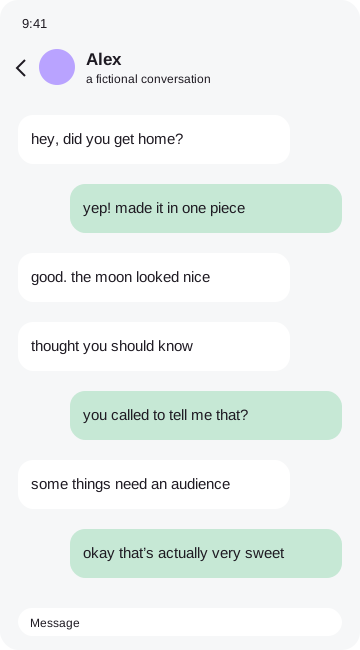 the moment i knew
How to make it
- Choose a conversation both people would be comfortable keeping.
- Crop to a few messages while preserving context.
- Add a Polaroid or postcard frame and a short caption.
- Export a print-ready file for a small anniversary gift.
Make a gift that respects the moment
A personal screenshot is best shared with the person who was part of it. Ask before posting private messages publicly. For a gift, choose a readable section and avoid tiny text across an entire chat history. One heart, one caption and generous paper space can feel warmer than a crowded sticker sheet. Print a small test first so you can judge the words and colors before framing the final piece.
Your original image remains in browser memory while you work. Frames, stickers and marks become part of a flattened export, so the result is ready to save or share. You can remove the tiny credit sticker in the Export tab with one tap. No account, payment or tracking is required. Before sending a personal conversation to someone else, check every corner of the exported file and make sure you have permission to share it.
Good questions
Is this suitable for anniversary gifts?+
Yes. Use a real conversation you have permission to keep and choose a print-ready export.
Is my screenshot uploaded?+
No. Image processing and exports happen entirely in your browser.
Can I remove the credit?+
Yes. Switch off the credit sticker in Export.
Can I hide private details?+
Yes. Drag an opaque Hide cover over each detail, then check your exported file.