Decorate any screenshot with frames and stickers
Some screenshots earn a permanent place outside the camera roll. A funny reply, a kind check-in or a tiny celebration can become a scrapbook piece in a few taps. This editor accepts the image you already have. Add paper, original stickers and marker circles without changing the source words. There is no account to create and no image upload.
Try this style →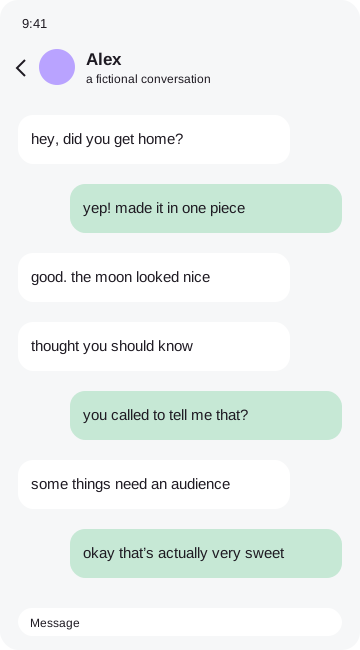 the moment i knew
How to make it
- Drop, paste or choose a PNG, JPG or WebP.
- Pick a frame that fits the mood.
- Circle one detail and add a few edge stickers.
- Download, copy or print your finished piece.
Decorate the memory you actually captured
Start with the screenshot itself as the main subject. Frames can add a feeling of paper, tape, a notebook or a ticket; they should not compete with the conversation. Try one bright marker color and two stickers before adding more. Surprise me puts decorations around the edges, leaving the central conversation readable. Undo lets you explore without losing the previous look.
Your original image remains in browser memory while you work. Frames, stickers and marks become part of a flattened export, so the result is ready to save or share. You can remove the tiny credit sticker in the Export tab with one tap. No account, payment or tracking is required. Before sending a personal conversation to someone else, check every corner of the exported file and make sure you have permission to share it.
Good questions
Can I decorate screenshots from other apps?+
Yes. The editor works with screenshots from any app, not just chats.
Is my screenshot uploaded?+
No. Image processing and exports happen entirely in your browser.
Can I remove the credit?+
Yes. Switch off the credit sticker in Export.
Can I hide private details?+
Yes. Drag an opaque Hide cover over each detail, then check your exported file.