Print a chat screenshot and hang it on the wall
A kind message can become a small piece of wall art. Start with a clear screenshot, choose a quiet Keepsake frame and add a caption that means something to you. Print-ready export creates PNG or PDF files for common paper sizes. The screenshot is never uploaded to make the file, and no text is extracted or replaced.
Try this style →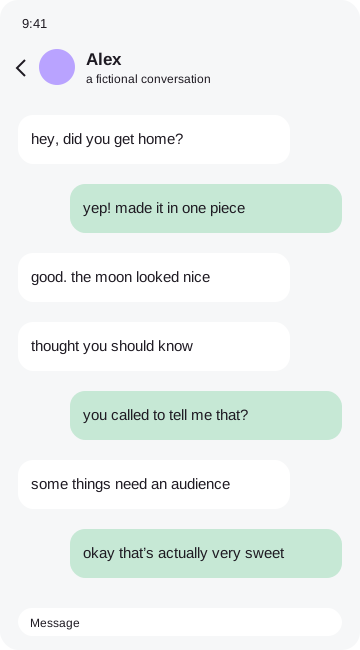 keep this one
How to make it
- Use the highest-resolution screenshot you have.
- Choose a simple frame and keep the words large.
- Select A4, A3, US Letter, 8×10 or 11×14 in Export.
- Save a print-ready PNG or PDF and print a test.
Resolution is about the source, too
A 300 dpi canvas gives the printer enough pixels for a clean page, but cannot restore detail missing from a blurry screenshot. A short conversation printed small can look clearer than a long chat enlarged to A3. Print at the chosen paper size without extra enlargement. On phones with limited canvas memory, the editor reduces the output dimensions and tells you. For the largest prints, use a desktop browser.
Your original image remains in browser memory while you work. Frames, stickers and marks become part of a flattened export, so the result is ready to save or share. You can remove the tiny credit sticker in the Export tab with one tap. No account, payment or tracking is required. Before sending a personal conversation to someone else, check every corner of the exported file and make sure you have permission to share it.
Good questions
Will 300 dpi fix a blurry screenshot?+
No. Start with a sharp original and choose a smaller print if the text is tiny.
Is my screenshot uploaded?+
No. Image processing and exports happen entirely in your browser.
Can I remove the credit?+
Yes. Switch off the credit sticker in Export.
Can I hide private details?+
Yes. Drag an opaque Hide cover over each detail, then check your exported file.